If you’ve used the TrailWatch App to log your hiking activities, have you ever wondered before how distance and elevation are calculated?
Each time you finish tracking your hiking activity, you will see the distance you walked, as well as the trail elevation.
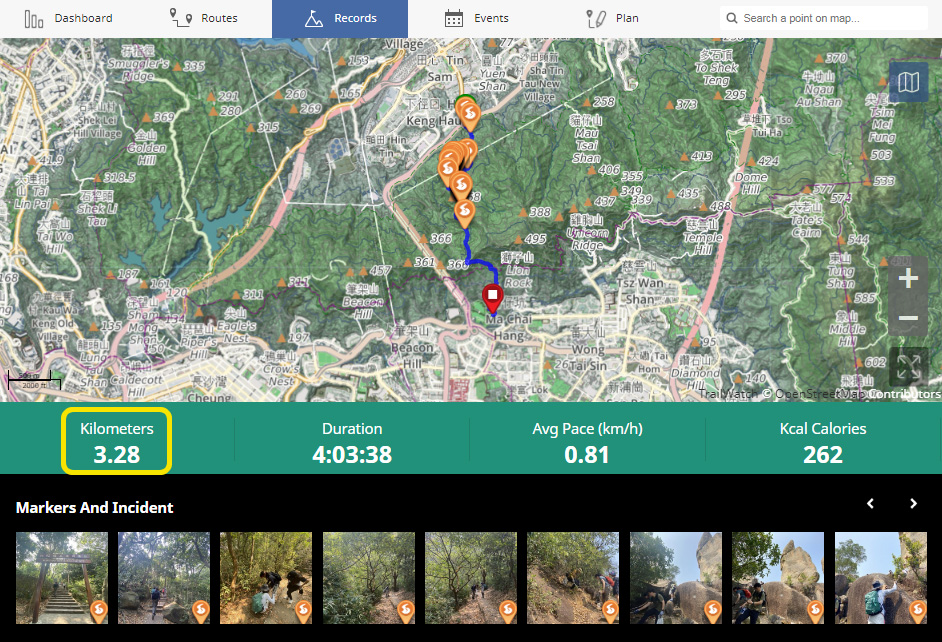
Example of a hiking record, from TrailWatch’s Waste Audit campaign
Distance and Elevation Calculation
The distance that you see on your record after your hike is complete is calculated based on longitude and latitude coordinates. There are two main approaches we take:
1) GPS-based, on-device approach: The TrailWatch App will calculate your "real time" accumulated distance while the app is in use by recording your activity and based on the GPS data.
2) GPS-based, uploaded approach: After GPS data is recorded and uploaded to TrailWatch, this data is parsed and analysed. A calculation on the GPS coordinates will be run in order to get the distance.
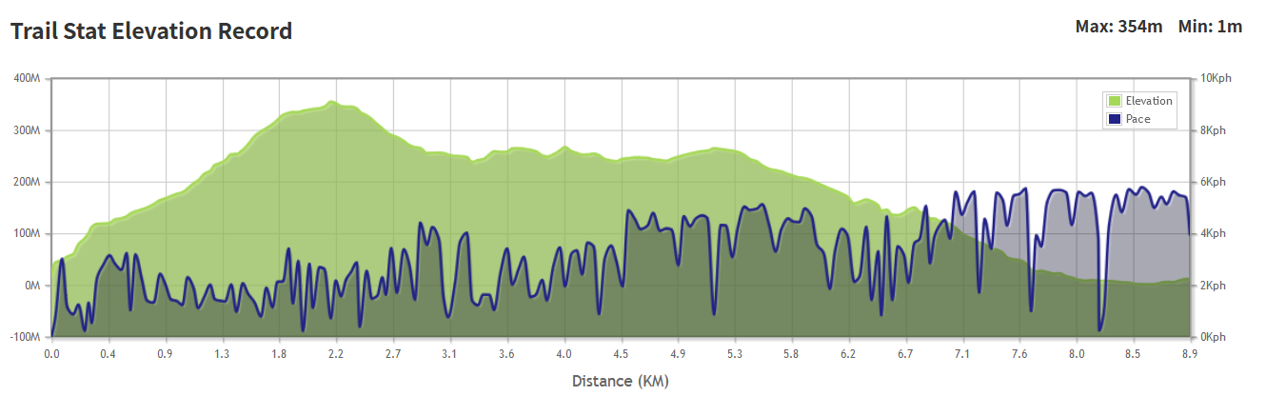
Example of the elevation chart from the above Waste Audit-related hiking record
TrailWatch approximates your elevation using GPS signals, and cross references to Hong Kong Government's Geodetic Survey database with some touch-up calculations. When it comes to elevation, it is important to note that elevation data is subject to error, irrespective of the source. Therefore, the elevation in your hike is an estimate.
The method to calculate distance and elevation is the same regardless of a tracked hiking activity, or for planning the route. We encourage you to use the TrailWatch planning function before you hike. It’s best to do this via the TrailWatch website rather than your phone.
After you have planned a route, you can see the estimated elevation over the duration of the hike, and where the peaks and troughs are to get a better idea of where you may be slower or faster. Coupled with the maps that TrailWatch offers, you can get a better idea of the terrain, as well as where you can rest at pavilions or use toilet facilities as needed.
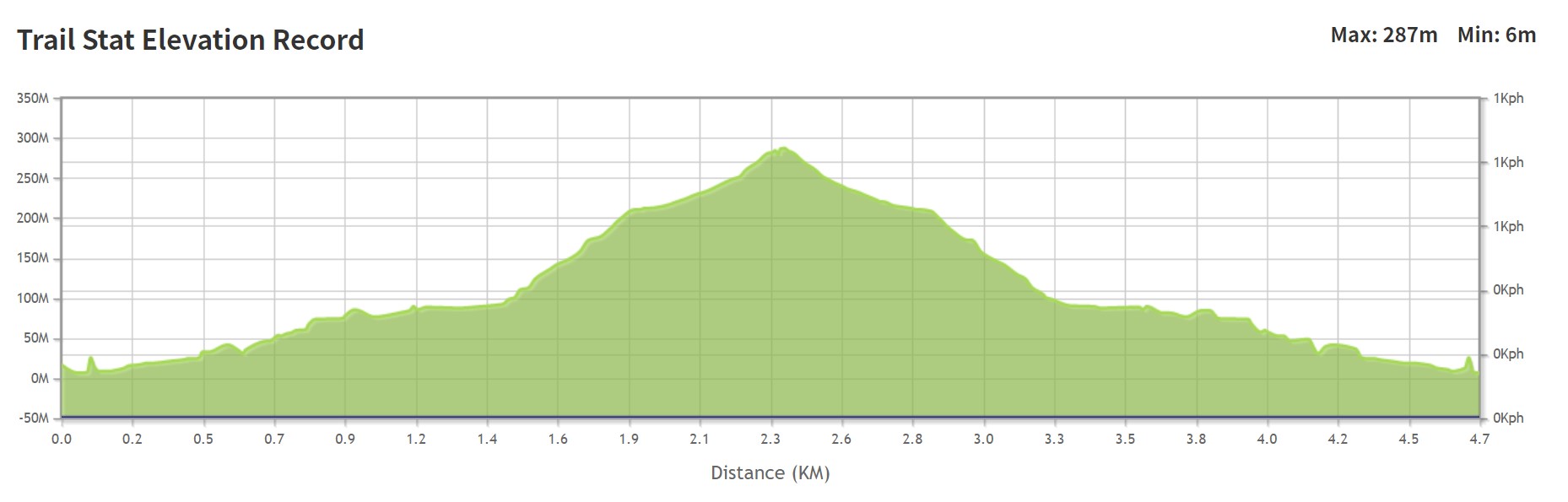
Example of the elevation chart from a planned route from the TrailWatch website. As this route has not yet been walked, there will not be a pace.
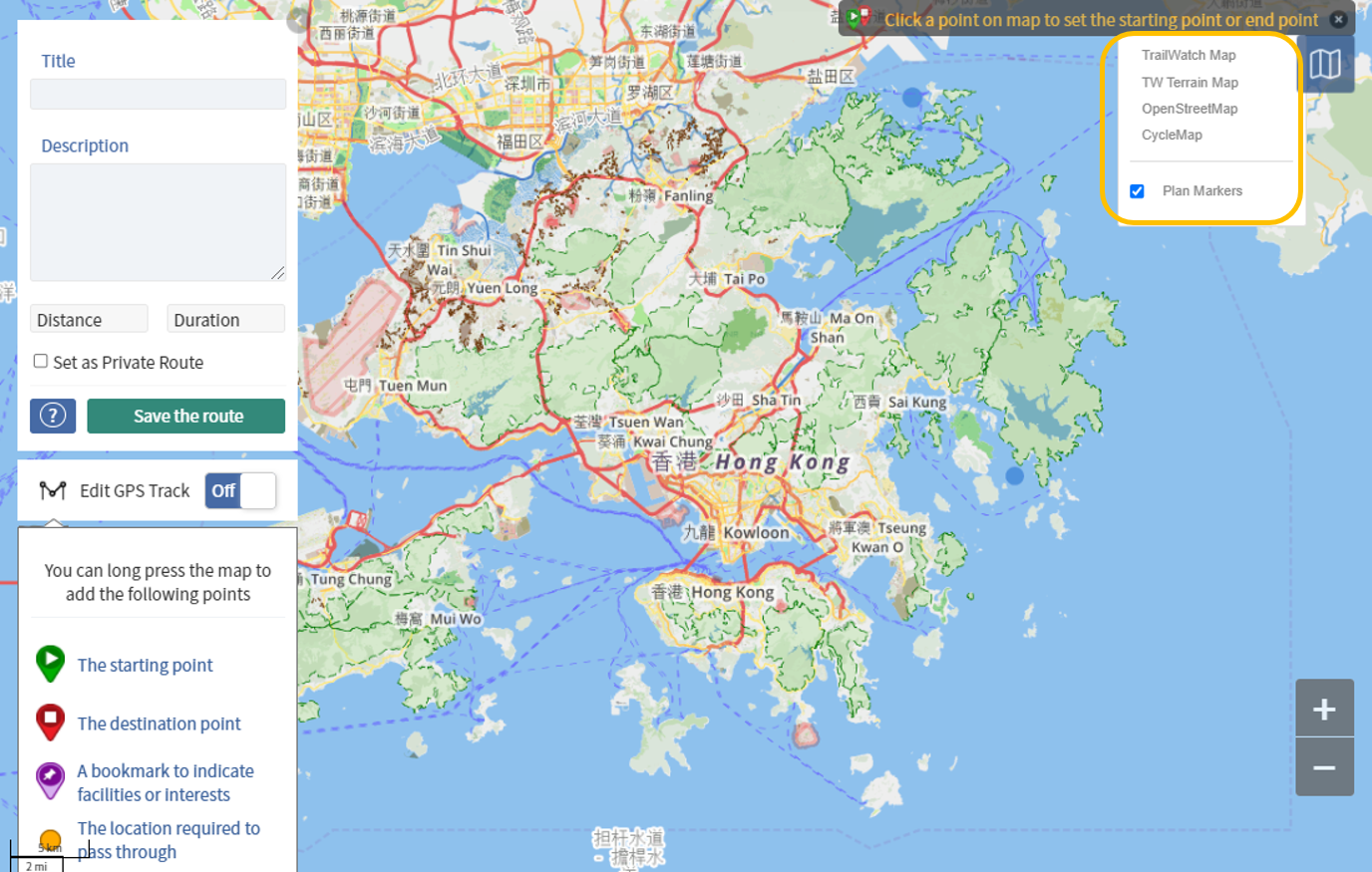
Pick and choose which map you want to use for your route planning.
Why does this matter?
The distance and the elevation of your hiking route are two basic factors that you need to consider. Naturally, the longer the distance, and the higher the elevation, the more time you will need for your trip.
Distance and elevation play a role in determining your hiking pace. This is a metric you should be aware of as it can help you better plan a safe and enjoyable trip.
TrailWatch shows your average hiking pace per hiking activity, as well over your total hiking records. The average pace can be used to estimate and gauge how long it may take you to walk a route. It is important to note that different people will have a different pace based on an individual’s physical conditions and hiking preferences.
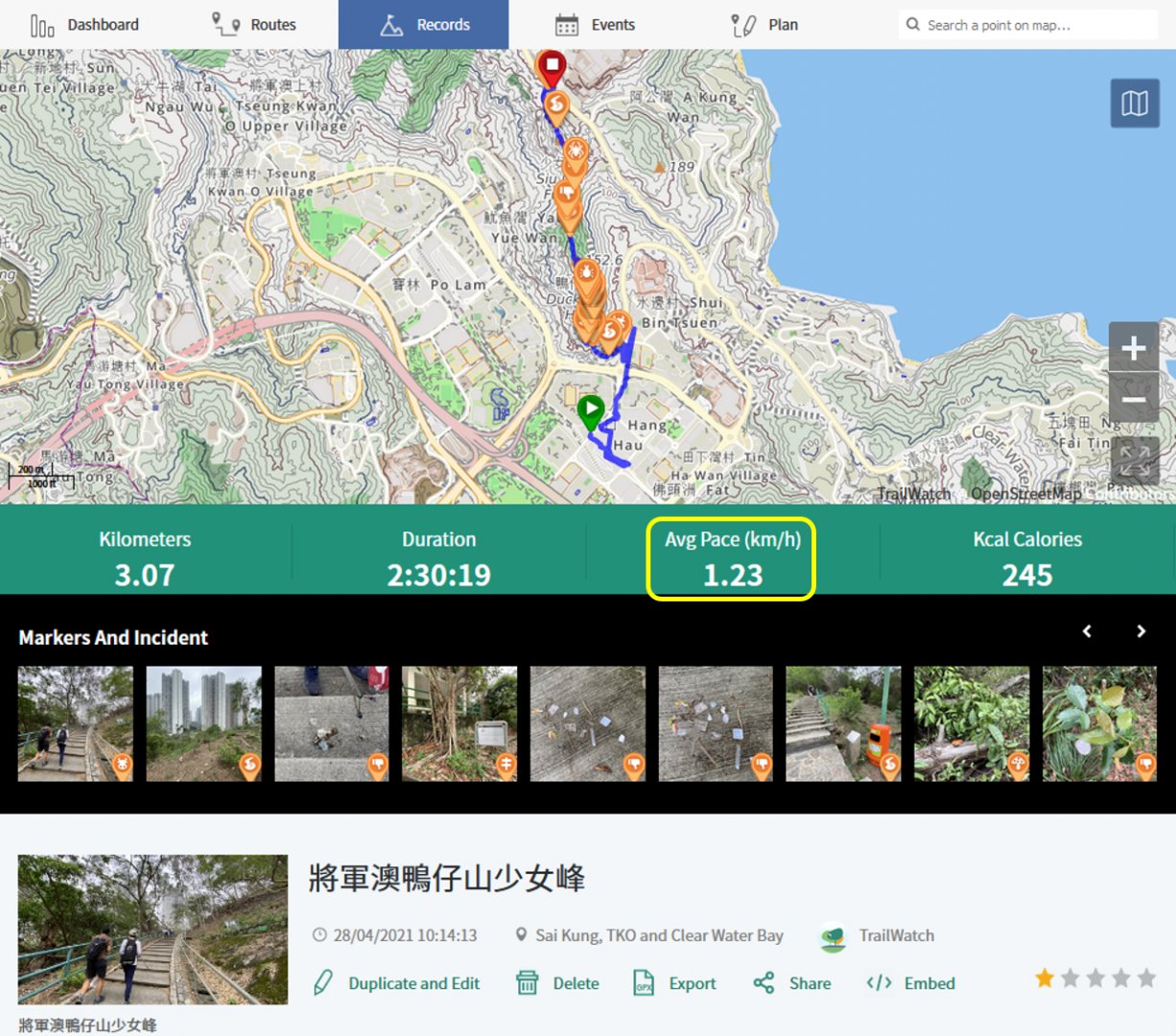
You can see the pace after each activity

Via your dashboard, you can see your average pace over all hiking activities you have tracked
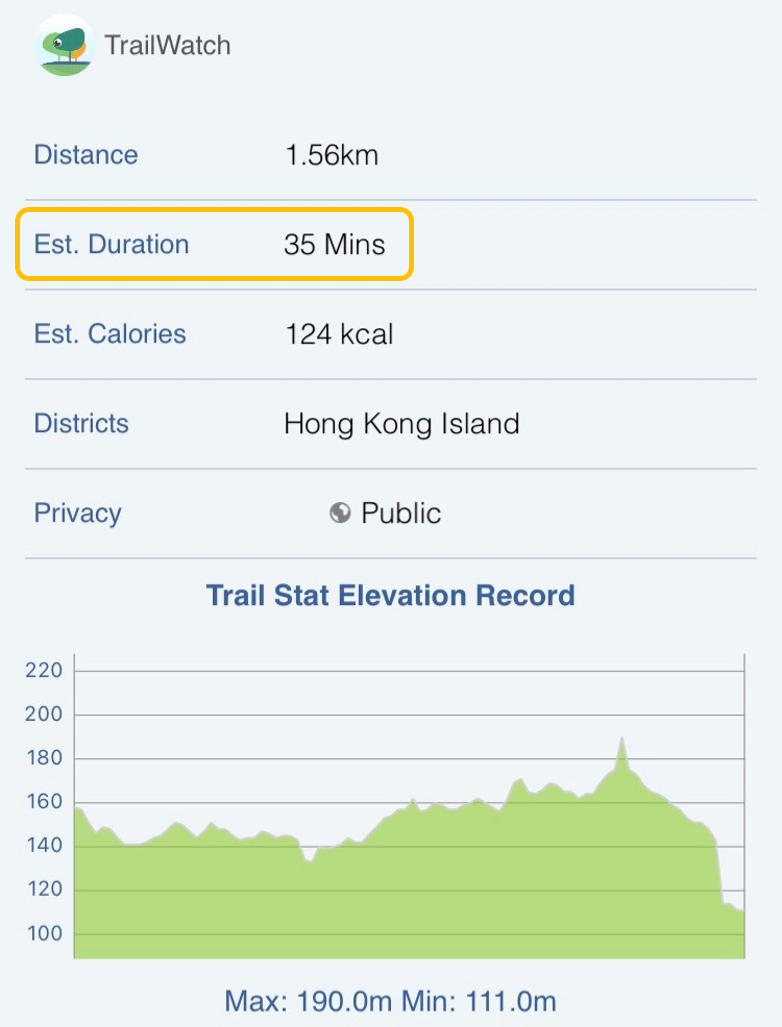
To help you get an estimated hiking duration for a route, it is better to use your own pace. If the average hiking pace is 3 kilometers per hour, and the planned hiking route is 9 kilometres, you can estimate it will take you 3 hours to complete the route. Again, these are estimates, and other factors such as weather (heat and humidity) could also affect the real duration of the day.
Knowing how long it takes you to complete a route helps to better plan your journey so you can set a better start time and end time, as well as how long you allow yourself to rest, and how much food and water to bring based on the entire duration of your trip. You can even give a better estimated finish time to your friends and family so they know when to expect to see you after your trip. It’s always better to finish your journey earlier rather than later, as you do not want to be hiking in the dark if you do not have the right tools to do so.