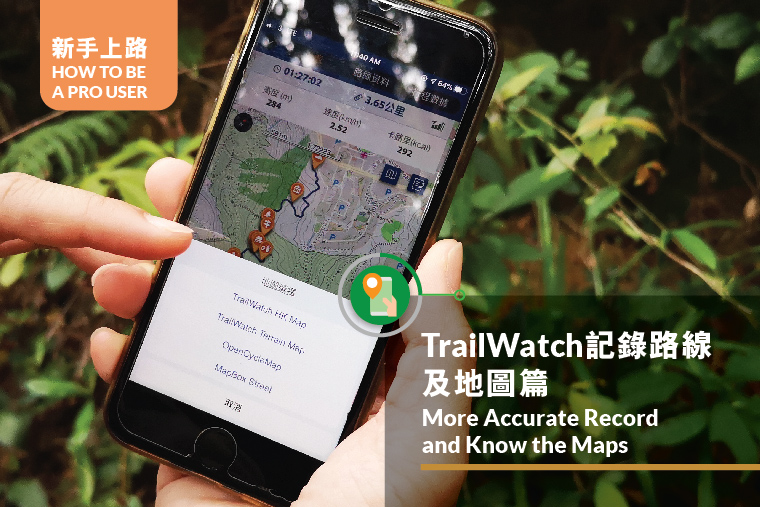
Want to save an accurate TrailWatch record after each hike? This article will help you do that.
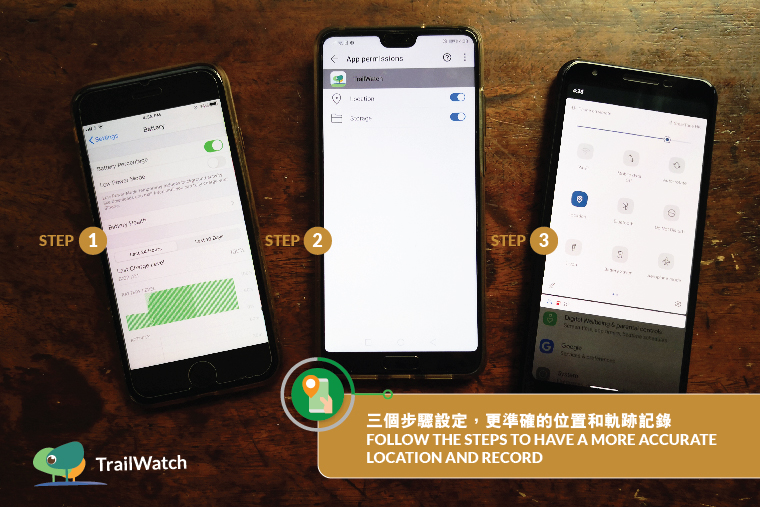
1. Simple Settings for Stabilising Route Tracking
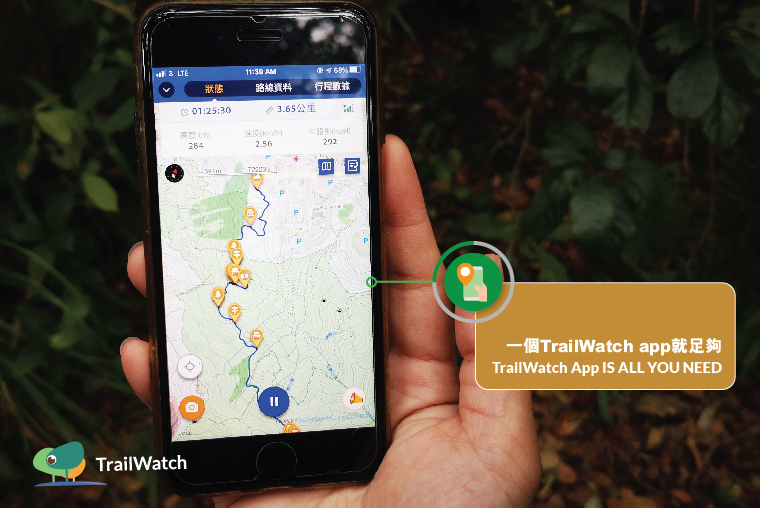
TrailWatch App is a GPS tracking application that tracks hiking journeys. Follow the steps below to have a more accurate location and record.
-> Turn off power saving mode at Settings
-> Find TrailWatch App at Settings and allow Location access
-> Turn off Wi-Fi and mobile data after you start tracking
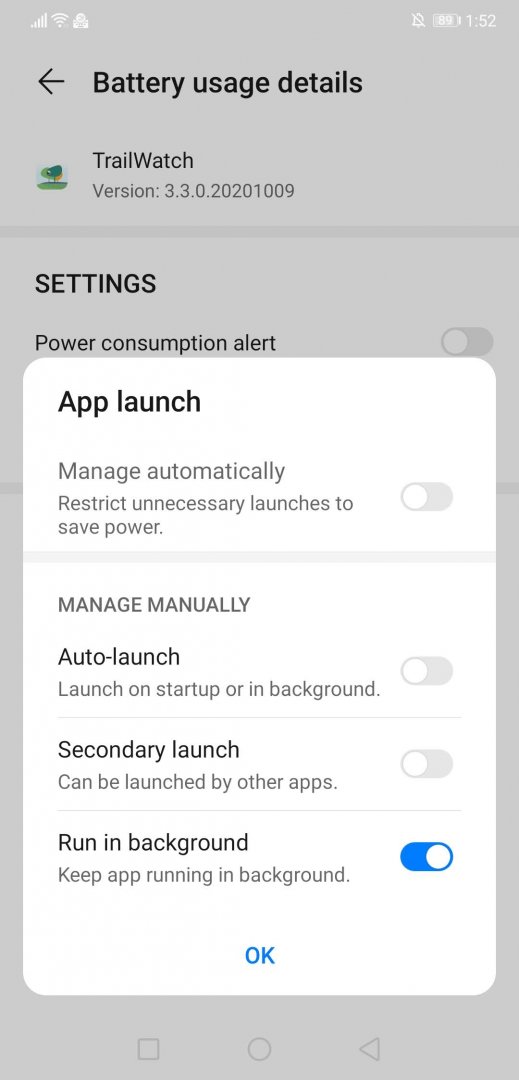
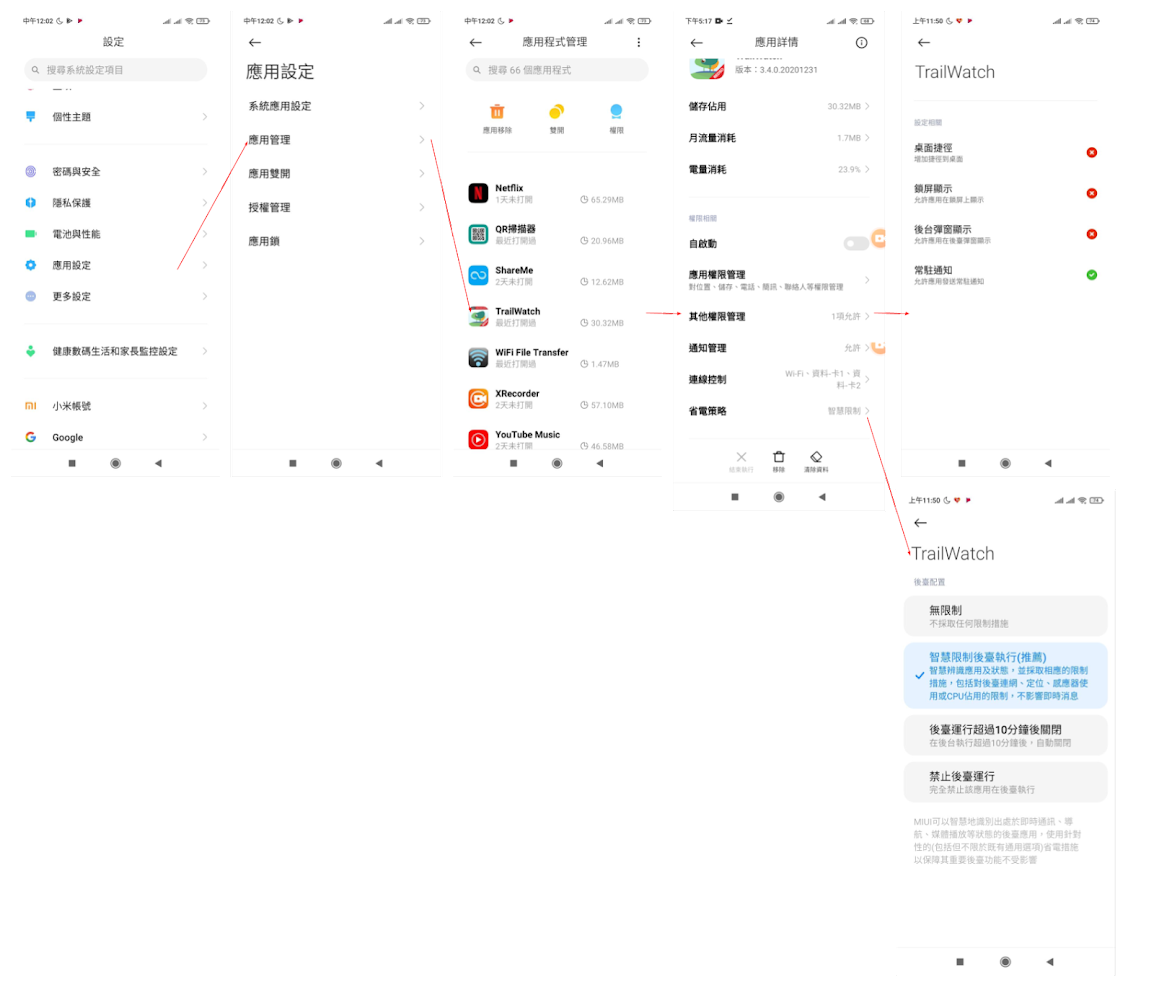
*(2020 October Update) For Android 11, please also manually set up your phone as below:
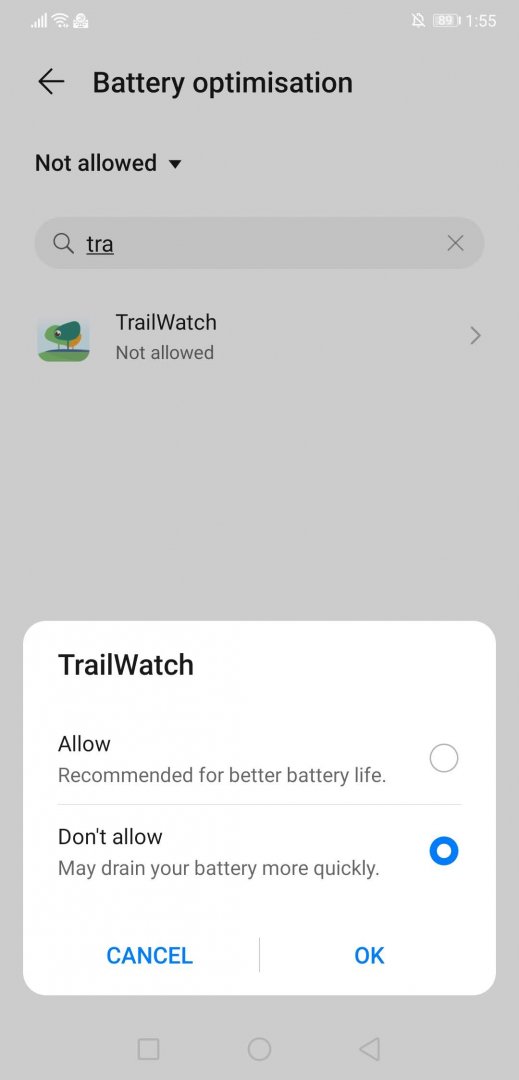
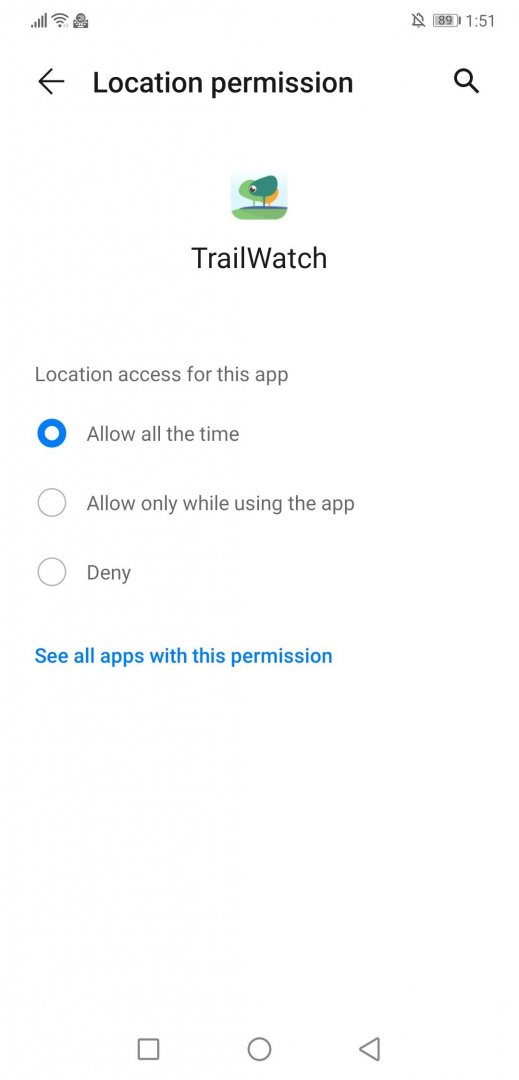
For Huawei :
Redmi:
2. TrailWatch App Is All You Need
Operating two or more GPS tracking apps on a phone simultaneously could cause unsatisfying performance to both apps. If the tracking record shows as a straight line, it could be due to the weak GPS signal or poor mobile phone reception; usually, there is no direct relation to the performance of the app itself.
3. Find Somewhere Spacious to Start the Tracking
GPS signals are more likely to encounter errors when there are obstacles, such as buildings in the city. Try to find an open area to locate yourself before clicking on [Start Tracking] on the TrailWatch App.
4. Choose the Right Map
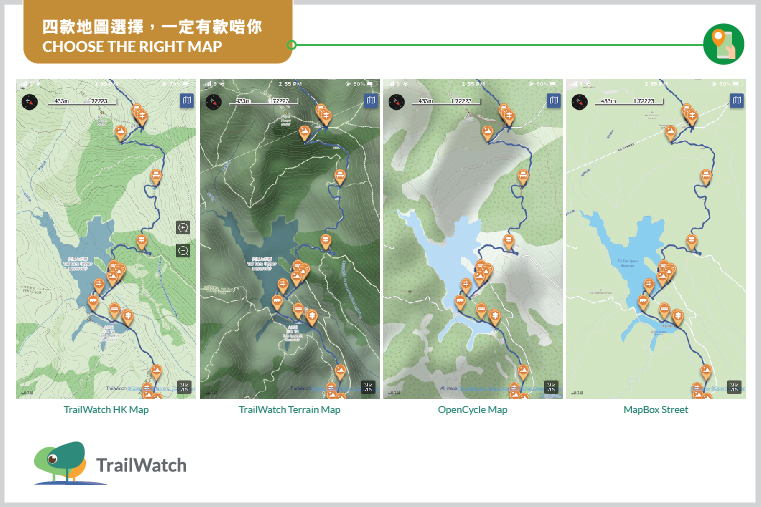
There are four maps available in the TrailWatch App. Which is recommended by TrailWatch? It depends on your habit and purpose.
– TrailWatch HK Map
– TrailWatch Terrain Map
– OpenCycle Map
– MapBox Street
TrailWatch HK Map and TrailWatch Terrain Map are designed and developed by the TrailWatch team. The layers and zonings on the maps can facilitate green groups or interested parties to better utilise the land information in order to protect the countryside of Hong Kong.
Both the two maps show the distance post locations of every long-distance hiking trail and country trail. Map ratio on the top left and contour lines are embedded for easier reference.
TrailWatch HK Map is the one with the lighter colour presentation. The green areas within the dotted lines are country parks. The brown areas are brownfields, mapped by us in collaboration with the Liber Research Community. TrailWatch Terrain Map shows the terrain 3D layer which allows the users to tell plains, ridges or valleys.
OpenCycle Map and MapBox Street Map are especially for travel lovers who go overseas, and it is recommended to download the offline map before use. OpenCycle Map also shows the trails and contour lines that are suitable for hiking or countryside visit. MapBox Street Map is preferable for city exploration.
Importantly, don’t forget to click [Finish] and save the journey for a more precise length and duration record of the hike. If you forget to do this, you may also get straight lines in your tracked record!
Apart from hiking records, TrailWatch offers other functions such as incident reporting, planning and sharing hiking activities. Check out more App Tips before your next hike.