
上次進階技巧提到可以用TrailWatch.hk 網頁規劃專屬路線,行程結束後,大家亦會想 「開心share」分享給朋友自己的路線記錄。在TrailWatch.hk 網頁中,除了按「分享」功能貼到Facebook,或者直接分享連結,如果有寫網誌習慣的用戶,希望把行山心得及相片整理成文章,現在TrailWatch也支援嵌入地圖了!
使用方法非常簡單,只要記錄或計劃的路線已設置為「公開」,路線頁面會出現「嵌入」的按鍵。只要按一下,選取及右鍵複製程式碼,貼到支援iframe html 的編輯器,即可瀏覽轉貼的行山路線。
更多TrailWatch 新手貼士 及 進階技巧﹕
進階技巧 之 用TrailWatch.hk 網頁規劃專屬路線
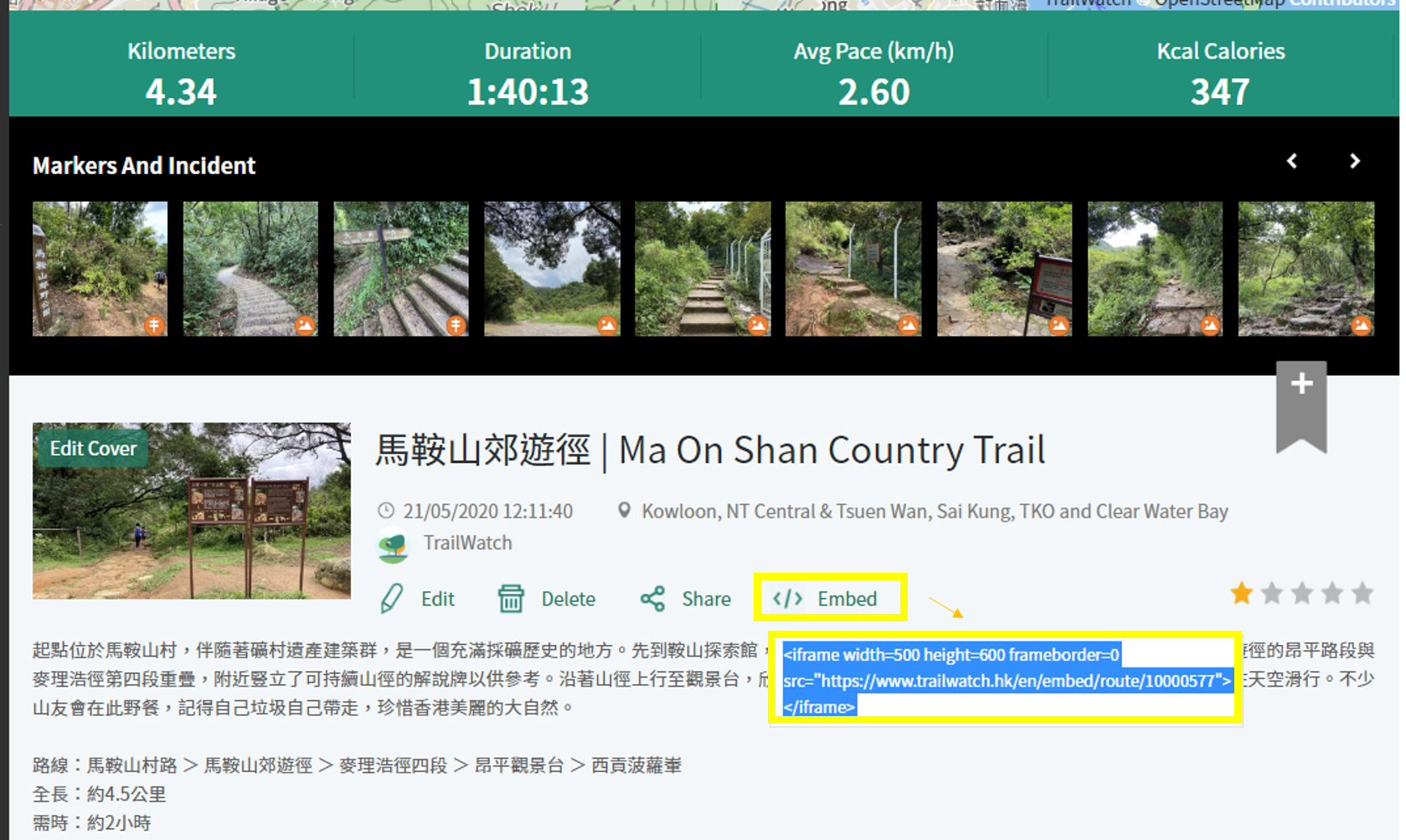
In our April 2020 newsletter, we introduced how to plan your route using the TrailWatch website. After your hiking trip, if you also want to share the route record with friends, aside from pressing the "Share" button to post and share on Facebook, or directly sharing the link, you can now embed the TrailWatch map to your blog. This is ideal if you like to organize your hiking records and photos into blog form.
The procedure is really simple. As long as your routes and records are set to "public", the route page will automatically have an "embed" button. Just click on it, select and right-click to copy the code and paste it into an editor that supports iframe html, and you can directly see the route in your blog article.
For more on “How to be a pro user”
How to Be a Pro User: Accurate Record
How to Be a Pro User: Taking Photos
Route Planning using the website
效果如下 This is how the embed look like: